

FAQ - Frequently asked questions during use
Questions about the use of FTAPI for sending secure emails often arise in discussions with citizens.
In the following sections, we answer typical concerns and would like to provide you with the best possible support for secure communication. After all, your data is at stake.
Our aim is to clarify any uncertainties and assist you with common problems.
I have forgotten my password
A guest account on the FTAPI platform is required to access the attachments of an email.
The first time you open a message with an attachment, you will be asked to create such an account and assign a personal password.The guest account remains active for 90 days - provided that you log in again within this period.
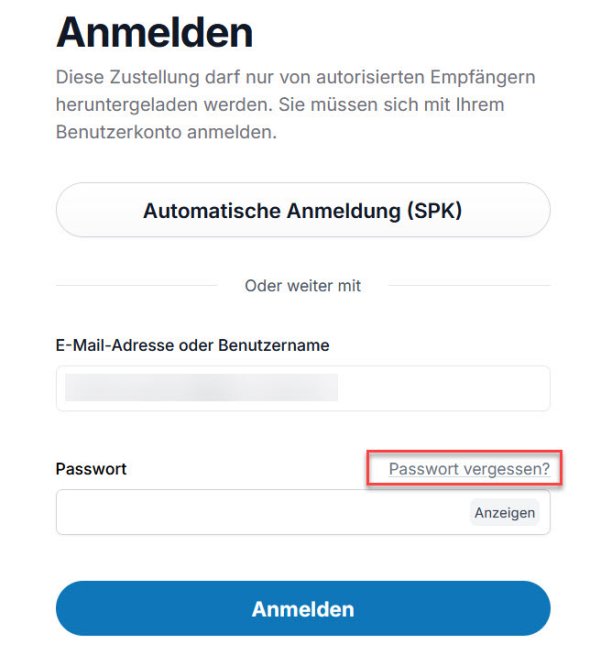
You will be prompted to enter your password when you log in again.If you have forgotten your password, please use the "Forgot your password?" function to set a new password.
I am unsure about using the download link in the email
Sending phishing emails is a common method of tricking people into revealing passwords or sensitive data.
Such attacks can also lead to malware being downloaded from the internet without anyone noticing.However, when using FTAPI from a citizen's perspective, downloading files via a link is part of the central functionality and is necessary for use.
Please observe the following instructions to check the authenticity of an FTAPI e-mail and the associated download request:
1. the sender of the e-mail
The request to download files is always sent by e-mail.
The sender is always the Saarpfalz district or the Saarpfalz municipal job centre.You can recognise this by the sender's e-mail address:
- For the Saarpfalz district, the address ends with @saarpfalz-kreis.de, e.g. max. [email protected]
- For the municipal job centre it ends at @jobcenter-saarpfalz.de, e.g. max. [email protected]
Pay attention to these so-called mail domains to check the authenticity of the sender.
2. the address of the download page
The website on which you create a user account or log into an existing account always begins with the following address:
https://saarpfalz-kreis.ftapi.com
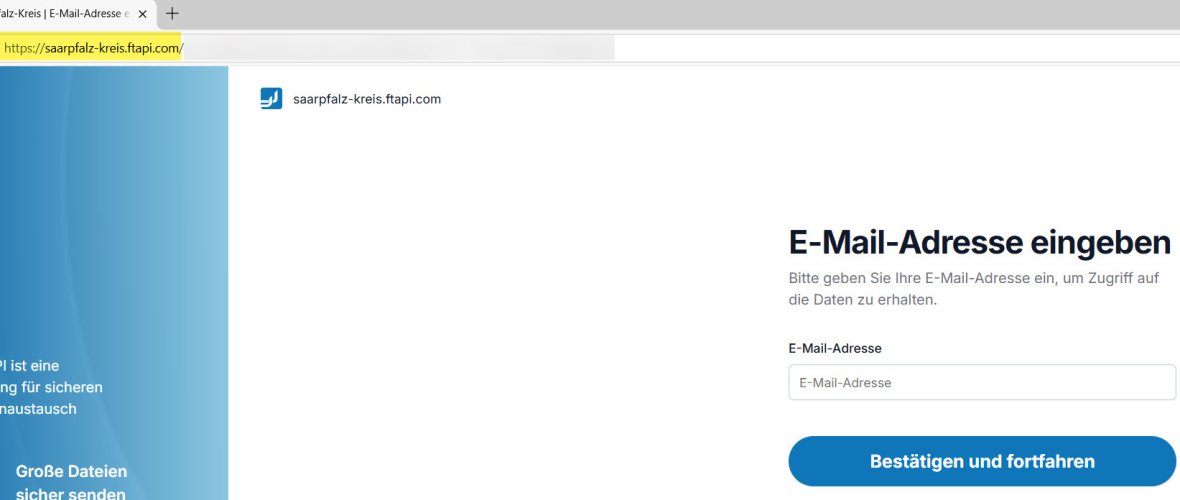
Please check this URL carefully. This is the only way to ensure that you are on the official download portal of the Saarpfalz district.I have forgotten my SecuPass key
If you need a SecuPass key to access a download, you have previously received an e-mail with a high security level from the Saarpfalz-Kreis. This means that at least the attachment to this message is fully encrypted.
Your personal SecuPass key, which you specified when you first used the system, is required to view or download this data.If you have forgotten your SecuPass key, please contact the sender of the e-mail directly. They will then reset your key internally. You will then need to assign a new SecuPass key - you may also need to create a new user account.
Please note: All encrypted data provided on the platform up to that point can no longer be viewed after a reset, as it was encrypted with your previous (now invalid) SecuPass key.
My account has been deactivated
A common attack scenario to gain unauthorised access to a user account on the internet is a so-called brute force attack. An attacker uses automated programmes that try millions of possible passwords within a very short time to log into an account.
To protect your FTAPI account from such attacks, it is temporarily blocked as a precaution after a small number of unsuccessful login attempts: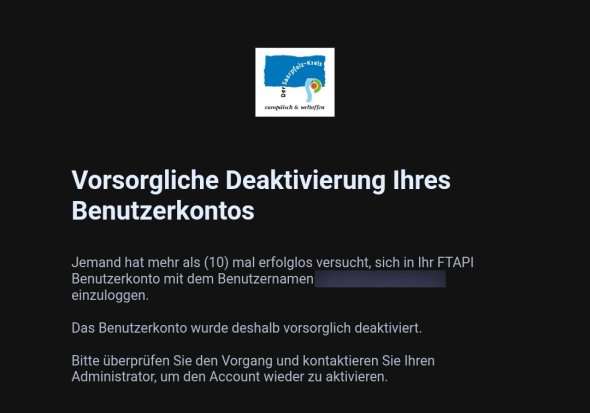
Your account can then only be reactivated by an action on our part.
Please contact the sender of the FTAPI e-mail from the authority. The re-activation will then be arranged internally and you will be informed immediately by your contact person.